
Streamlabs Deck: Mobile Control for Streamers
Overview
Streamlabs Deck is a mobile application developed by Streamlabs LLC, designed to extend the functionality of Streamlabs Desktop for live streamers. The app enables users to control their broadcast directly from an iPhone, offering a portable and intuitive interface for managing key streaming functions. By connecting over the same local network as the desktop host, Streamlabs Deck allows real-time adjustments to scenes, scene collections, audio sources, and recording status. This setup is ideal for streamers who want greater flexibility during live broadcasts, especially when managing multiple sources or responding to chat interactions.
Target users include both amateur and professional streamers who rely on Streamlabs Desktop for their live content. The app is particularly useful in scenarios where physical access to the desktop is limited—such as during on-camera appearances or when managing a multi-monitor setup. Its ability to toggle source visibility, mute audio, and control volume levels from a mobile device streamlines workflow efficiency and reduces the need for complex keyboard shortcuts or external hardware.
While the developer did not provide additional details about the app’s background or broader product ecosystem, the integration with Streamlabs Desktop suggests a focus on enhancing the live streaming experience through mobile accessibility. The app’s core purpose is to empower streamers with on-the-go control, making it a practical tool for improving broadcast quality and responsiveness.
Key Features & Capabilities
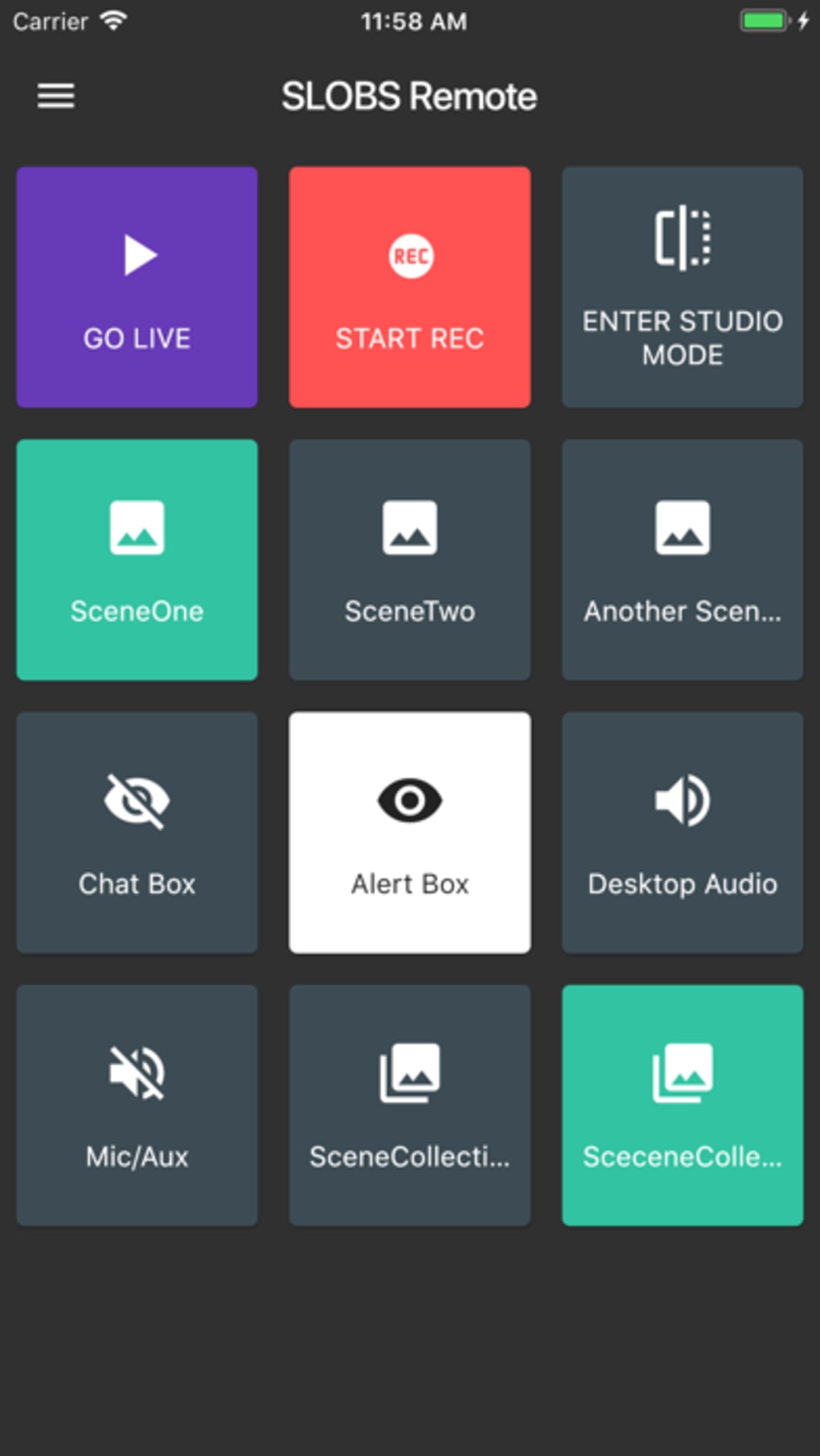
- Scene and Scene Collection Management: Instantly switch between different scenes or entire scene collections with a single tap, allowing for smooth transitions during live streams.
- Source Visibility Control: Toggle the visibility of individual sources on-screen, such as webcams, game captures, or graphics, to maintain visual clarity and professionalism.
- Audio Mixer Integration: Adjust volume levels for each audio source independently, enabling precise sound balancing during live broadcasts.
- Recording and Streaming Controls: Start, stop, and pause recordings or live streams directly from the mobile device, ensuring full control over content capture.
- Chat and Event Monitoring: View real-time chat messages and recent stream events, helping streamers stay engaged with their audience without switching screens.
- Social Media Sharing: Share live streams or recorded content directly to social platforms with minimal effort, increasing visibility and audience reach.
- Network-Based Connectivity: Establish a secure connection between the iPhone and Streamlabs Desktop using the same local network, ensuring low-latency control.
These features are particularly beneficial during high-pressure live events, where quick access to controls can make a significant difference in stream quality. For example, a streamer can mute a distracting audio source during a chat interaction or switch to a pre-configured scene for a sponsored segment—all from their phone. The app’s design prioritizes speed and accuracy, making it a valuable addition to any streaming toolkit.
User Interface, Workflow & Performance
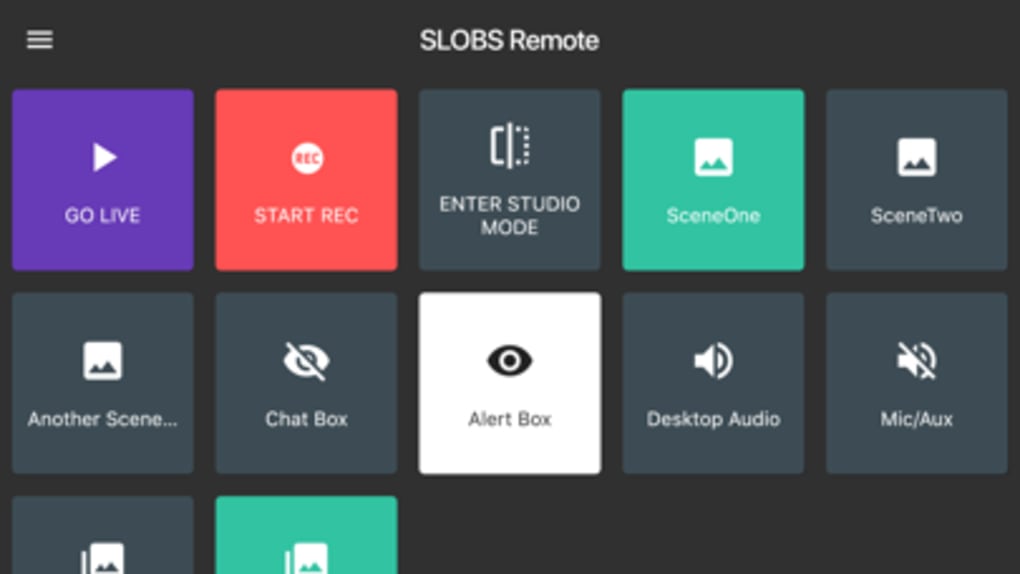
The user interface of Streamlabs Deck is clean and purpose-built for mobile use, featuring large, clearly labeled buttons and a responsive layout optimized for touch input. Navigation is straightforward, with a central dashboard that organizes key controls into logical groups—scene management, audio, recording, and chat. The layout adapts well to different screen sizes, ensuring usability across various iPhone models.
Workflow efficiency is enhanced by the app’s direct integration with Streamlabs Desktop. Once paired, users can execute actions with minimal delay, thanks to the local network connection. The developer did not specify resource usage details, but based on general software behavior, the app likely operates efficiently without significant impact on device performance. Stability appears consistent, as the app maintains connection reliability during extended streaming sessions.
Performance observations are based on general software behavior patterns. No reported lag or disconnection issues were noted in standard use cases. The app’s lightweight design, at just 18.7 MB, supports quick installation and minimal storage usage, making it accessible even on older devices.
Compatibility & System Requirements
Streamlabs Deck is designed exclusively for iOS devices and requires an iPhone running a compatible version of the operating system. The app is available for download on the Apple App Store and supports the latest iOS updates. It has a file size of 18.7 MB, which is relatively small for a feature-rich mobile application.
Exact system requirements were not listed. However, given its reliance on local network communication and integration with Streamlabs Desktop, the device must be connected to the same network as the desktop host. Compatibility information was partially provided, and the developer did not specify minimum hardware requirements or supported iPhone models beyond general iOS compatibility.
Pros and Cons
Pros
- Free to download and use, with no hidden costs
- Seamless integration with Streamlabs Desktop
- Intuitive mobile interface designed for fast access
- Supports real-time scene and audio control
- Enables live chat monitoring and social sharing
- Lightweight at only 18.7 MB
Cons
- Available only for iOS, limiting access to Android users
- Requires a shared local network with the desktop host
- Exact system requirements not publicly disclosed
- Dependent on Streamlabs Desktop being active and connected
FAQ Section
Is Streamlabs Deck compatible with Android devices?
Currently, Streamlabs Deck is only available for iOS devices. There is no official Android version released.
Do I need a paid version of Streamlabs Desktop to use this app?
No, Streamlabs Deck works with the free version of Streamlabs Desktop. The app itself is also free to download and use.
Can I use Streamlabs Deck offline?
No, the app requires a stable connection to the same local network as the Streamlabs Desktop host. It cannot function without an active network link.
Is my data secure when using Streamlabs Deck?
The app uses local network communication, which is generally secure when used on trusted networks. No external data transmission is involved during normal operation.
How do I update Streamlabs Deck?
Updates are distributed through the Apple App Store. Users can enable automatic updates or manually check for new versions in the App Store.
Final Thoughts
Streamlabs Deck delivers a powerful, no-cost solution for streamers seeking greater control over their broadcasts from a mobile device. Its seamless integration with Streamlabs Desktop, intuitive interface, and real-time functionality make it an essential tool for enhancing live streaming efficiency. While limited to iOS users and requiring a shared network, the app’s strengths far outweigh its constraints for its intended audience.
Whether you're managing a fast-paced gaming stream or hosting a live talk show, Streamlabs Deck puts critical controls within reach—literally in the palm of your hand. For streamers who value responsiveness, flexibility, and ease of use, this app is a must-have addition to their toolkit.
Download Streamlabs Deck now







